
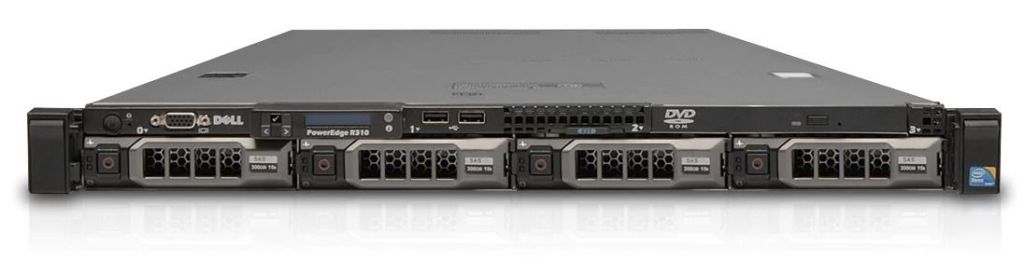
So I’ve recently started working at a new position out of town and had to rent a room about 3 hours out from my hometown. I wanted an ESXI server to play with and didn’t want to lug my very heavy IBM server to the new location. I also just wanted to go through the process of installing ESXI onto a server. I found it pretty difficult to find a copy of ESXI 6.5 but was able to locate a torrent on The Piratebay (it’s free anyway so I grabbed the iso) No virus detected and it wasn’t illegal. (There may be an issue registering as I’m not sure they’re still handing out codes for ESXI 6.5) I’ll have to contact support.
As is usually the case I ran into some issues during this process…
Issues: Not enough HD storage, originally this had 1 300 GB HD installed so I wanted to install more storage I purchased 3 600 GB 3.5 SAS drives from a used electronics store. I initially thought they were bad since I forgot to leave the arm open on the caddy when pushing the hard drives into place…lesson learned. Picture below
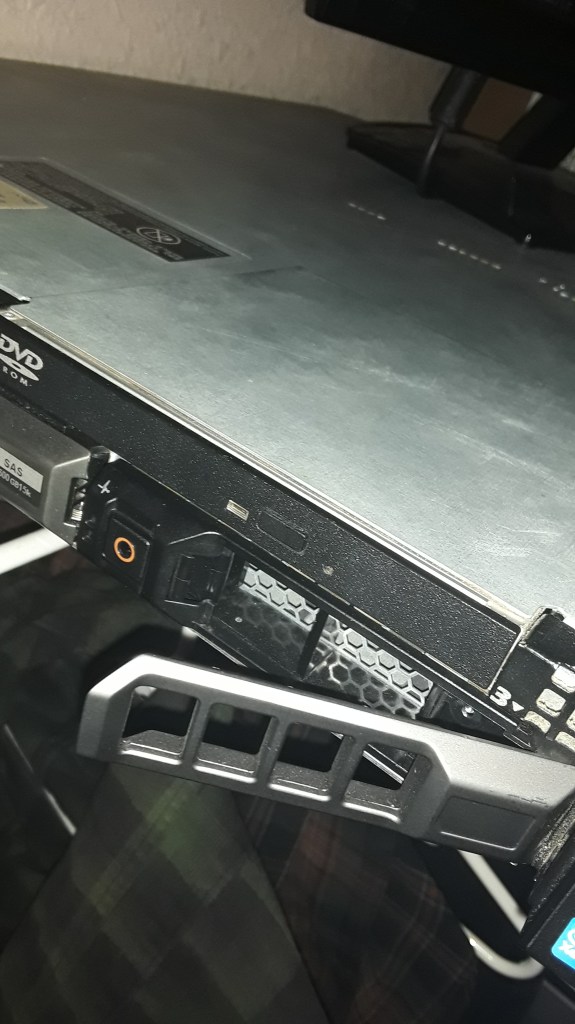
Solution: Make sure the HD caddy arms are open then push the HD into place. I know it’s pretty ridiculous but it happened and sometimes things as simple as this can waste your time.
Issue 2: After installing the new/used Hard drives I noticed an error that read membist failure the following dimm has been disabled by bios dimm A1,A3,A5. Or something along those lines. Basically only 3GB of RAM was being seen by the system. And ESXI needs at least 4GB of RAM to install. (I know this isn’t much for ESXI) I basically just need one or two VMS to practice on at the moment. I’ll have to check and
Solution:
1.Be sure to remove all the cables connected to the server.
2.Open the lid of the server be sure to unlock the lock and press down on the lock portion when removing the top of the server. After depressing the lock button slide off the top.
3.After the top of the server is removed locate the end of the cord unplug it…be sure to depress the button on the underside of the plug.
4.After the cord is removed you can pull the air duct covering the RAM and Processor.
5.Remove the ram
6.Press the power button to dissipate any leftover electricity in the system.
7. Reinstall the RAM, I didn’t pay attention to which sticks of RAM went where so they were in different DIMM slots than when I first opened the server.
8.Start the server. The issue was resolved after the restart.
After fixing the RAM issue I ran across another issue where the controller cord wasn’t seated correctly…so be sure the controller cord clicks when pushing in.
Performed RAID setup on the hard drives and was able to install ESXI 6.5.
 NTEK1
NTEK1 